
RCS messaging is a rich communication service that can inbuilt multimedia technology with two way communications to take a reply back of your messages though the same communication integrated along with the same message trigger. Currently it's working on Android phones where buttons for call and website visit are available.
RCS messaging designed to upgrade the standard texting experience on mobile devices - think of it like turning regular SMS into something more like iMessage or WhatsApp.
Modern RCS Messaging supports advanced security features, including ongoing rollout of standardized end-to-end encryption for person-to-person chats, while business messaging remains protected in transit but is not end-to-end encrypted. Its also a Verified Business Messaging used for Enterprise Messaging OR A2P Messaging for more Customer Engagement.
Now Upgrade normal SMS to RCS Business Messaging. Send Rich Communication Services, interactive messages with images, videos, buttons, and verified branding using Google RCS Business Messaging Platform. Turn every message into an engaging customer experience with RCS Business Messaging. Verified, Interactive, Powerful RCS Messaging is the future of business communication.
RCS is no longer limited to Android. With Apple's support for RCS, businesses can reach both Android and compatible iPhone users using rich messaging features, significantly expanding campaign reach. Now RCS (Rich Communication Services) has become one of the fastest-growing business messaging channels, especially after cross-platform support expanded Native Messaging Experience. Here are the latest updates and trends you can use for blogs, social media, websites, or marketing campaigns with Verified Sender Identity. Send Rich Media Messages, Carousels, CTA Buttons, Read Receipts, Higher Customer Engagement without any Extra App Required.
What RCS can do:
✔️ Read receipts, you can see when someone has read your message.
✔️ Typing indicators.
✔️ High-resolution photo & video sharing.
✔️ Group chats.
✔️ Interactive features like suggested replies, buttons, carousels, etc.
✔️ Verified business messages.
How RCS is different from SMS/MMS:
✔️ Internet required
✔️ File size limit
✔️ Partial Encryption
✔️ Rich media Fully supported
✔️ Branding / business features (logos, colors, etc.)
Why RCS is exciting for businesses and marketing:
✔️ Brands can send interactive, branded messages directly to users.
✔️ A restaurant sending a reservation confirmation with options to change or cancel.
✔️ A retailer sending a shipping update with a live tracking button.
✔️ Travel companies sending boarding passes or gate changes.
What are the catch:
✔️ It only works on Android devices (for now).
✔️ Both the sender and receiver need RCS-compatible phones and messaging apps.
✔️ It's still rolling out globally — not everyone has access to it yet.
✔️ Apple hasn't adopted RCS.
RCS messaging brings a ton of benefits for businesses, especially in marketing, customer service, and engagement. Here's how it can give your brand a serious upgrade. See the Benefits of RCS Messaging for Businesses:
1. Richer Customer Experience:
RCS supports high-quality images, videos, buttons, carousels, maps, calendars, and more - basically everything traditional SMS can’t do.
Example: Instead of a plain text “Your order has shipped,” you can send a rich message with product image, tracking button, and estimated delivery time.
2. Higher Engagement Rates:
RCS messages often get much higher open and click-through rates than SMS or emails - sometimes 2–3x better - because they’re visually engaging and interactive.
People are more likely to engage with a message that has buttons like “View Order” or “Book Now” than a link they have to type or tap manually.
3. Verified Branding
Your business name, logo, and brand colors appear on messages - kind of like verified badges on social media. This builds trust and reduces the risk of being mistaken for spam.
4. Interactive Marketing:
With suggested replies and actions, users can respond with one tap. You can guide them through a funnel without leaving the message.
Example: A bank could let users check their balance, report a lost card, or talk to support directly through RCS.
5. Better Customer Service:
RCS enables real-time chat and richer interactions for support - like live troubleshooting with media, or interactive FAQs - while staying in the native messaging app.
6. Cost-Effective Compared to Apps:
You get app-like experiences without needing customers to install a separate app. It lowers development costs while delivering powerful functionality.
7. Analytics & Insights:
Unlike traditional SMS, RCS allows you to track delivery, read receipts, button clicks, and more. This makes campaign optimization way easier.
Use Cases by Industry:
✔️ Retail: Promotions, product launches, order tracking.
✔️ Travel: Boarding passes, flight updates, check-ins.
✔️ Banking: Balance alerts, fraud warnings, live chat.
✔️ Healthcare: Appointment reminders, telehealth links.
✔️ Hospitality: Booking confirmations, upsell offers.
The onboarding process for RCS messaging is a bit more involved than traditional SMS, but it’s worth it for the features and branding power you get. Here's a step-by-step breakdown of how businesses typically get started with RCS:
1. Choose Your RCS Messaging Partner (RCS Provider / Aggregator)
You can't just send RCS messages directly - you'll need to go through a RCS Messaging Platform provider or CPaaS (Communications Platform as a Service), Google’s Business Messages platform. These partners provide the API, tools, and access to carriers needed to run RCS campaigns.
2. Set Up Your RCS Agent
An RCS Agent is basically your brand's chatbot or automated messaging system. You’ll need to:
✔️ Choose the type of bot (one-way messages, interactive, etc.).
✔️ Design the conversation flow (buttons, carousels, replies).
✔️ Add branding: logo, business name, colors.
Your provider will help you build and test this agent, usually through their platform or dev tools.
3. Register & Verify Your Business
You must register your brand with the RCS ecosystem (usually through the Google Business Messages or a partner platform). You’ll need:
✔️ Business details (name, website, description).
✔️ Logo & color scheme.
✔️ Verified phone numbers.
This ensures your messages appear verified and trusted to users.
4. Test Your RCS Agent in a Sandbox
Before going live, you’ll test everything in a sandbox environment:
✔️ Check message formatting.
✔️ Make sure buttons and replies work.
✔️ Validate UI on Android devices.
✔️ Fix bugs or adjust flow based on test feedback.
5. Get Carrier Approval
Your RCS agent must be approved by mobile carriers in the regions you want to operate in. Your provider will usually help with this, but it can take a few weeks depending on the market.
6. Launch and Start Messaging
Once approved, you can start sending RCS messages to users with compatible Android devices.
✔️ Use it for campaigns, alerts, reminders, promotions, and more.
✔️ Monitor analytics (opens, clicks, delivery, engagement)
Creating an RCS messaging campaign is like building a supercharged SMS campaign - but with rich media, branding, and interactive elements. Here's a step-by-step guide to create an RCS Messaging Campaign:
Step 1: Pick a Messaging Platform / Provider
✔️ Choose an RCS-enabled CPaaS or a MaaP provider.
✔️ Platforms give you the tools (APIs, dashboards, templates).
Step 2: Define Your Campaign Goals, Clarify what you want from your RCS campaign:
✔️ Promote a new product?
✔️ Send order updates?
✔️ Push users to book or schedule something?
✔️ Provide customer support?
Step 3: Design the Conversation Flow, This is where RCS gets fun. You can add:
✔️ Images / GIFs / Videos.
✔️ Buttons (like “Buy Now,” “Track Order,” “Call Us”).
✔️ Carousels to show multiple products or options.
✔️ Suggested Replies for fast responses.
✔️ Personalized info (name, order #, etc.).
Step 4: Add Branding, Make sure your business is verified and your messages are branded with:
✔️ Business name.
✔️ Logo.
✔️ Colors build trust and makes your messages feel more official.
Step 5: Test in Sandbox Mode, Before launching:
✔️ Send test messages to Android phones.
✔️ Make sure images, links, buttons all work.
✔️ Check fallback to SMS (in case RCS isn’t supported).
✔️ Most providers have a built-in testing tool or allow live testing on whitelisted devices.
Step 6: Get Campaign and Agent Approval, If you’re using Google’s Business Messages or a carrier-connected platform, you’ll need:
✔️ Agent approval (your chatbot/business setup).
✔️ Campaign approval (especially for high-volume messages).
✔️ Your provider usually submits these on your behalf.
Step 7: Launch the Campaign, Once everything’s greenlit:
✔️ Upload your contact list (target only RCS-enabled Android users).
✔️ Schedule or trigger the campaign.
✔️ Make sure SMS fallback is active for non-RCS users.
Step 8: Monitor and Optimize, RCS gives detailed analytics:
✔️ Open/read rates.
✔️ Click-throughs.
✔️ Button taps.
✔️ Drop-off points in conversation.
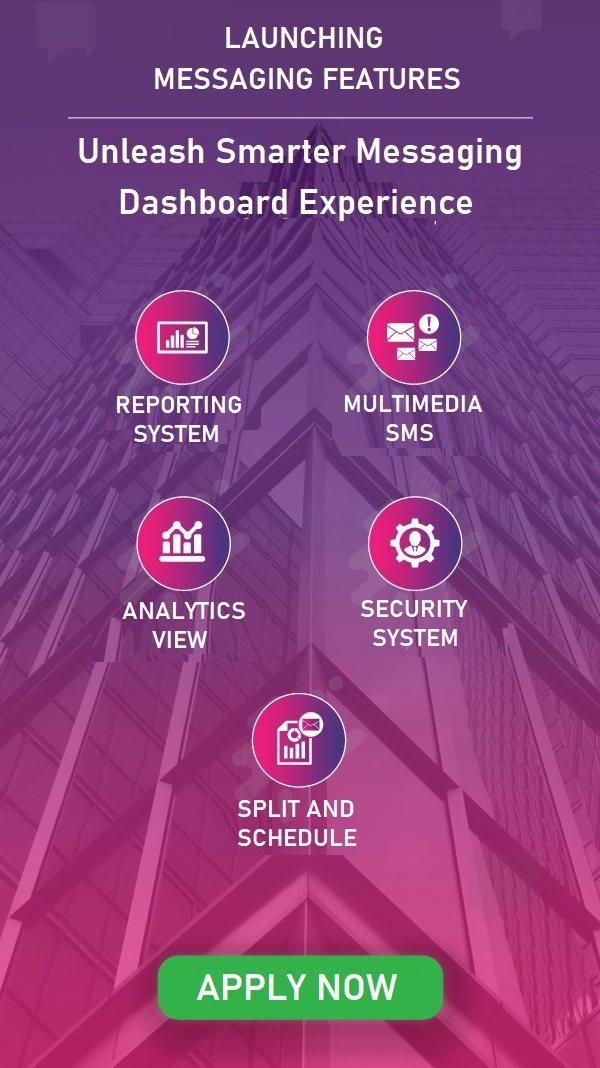
A powerful RCS application dashboad developed by OS Digital to manage all features at one place.
To assure a quick and fast delivery of submitted RCS, high throughput operator's connectivity binded.
Fast Delivery helps to deliver RCS on time, any urgent information to customers can get effectively.
Dynamic messaging means send a personalize campaign, each numbers gets unique Messages from uploaded sheet.
100% Transparent and Genuine Reports as how we are getting from our corresponding Telecom Operators.
Send RCS using your own local languge, our powerful application support all Indian local languages.
RCS application is fully secured with SSL, you can get secure Developres HTTP API for your integration.
Send RCS messages using schedule feature, it will deliver automatically on scheduled date and time.
OS Digital enabled services for 24x7, you can do RCS Messaging submission and delivery any time.
RCS messaging is powerful, but it’s not without a few drawbacks and limitations - especially when compared to something universal like SMS or app-based messaging (like WhatsApp or Messenger).
✔️ Limited to Android
Only Android handset support RCS, Apple doesn’t support RCS yet. That means iPhone users won't receive RCS messages.
✔️ Device & Carrier Compatibility
Not all Android devices support RCS - especially older ones. RCS needs to be enabled by both the user and their carrier, which means some people might not even be reachable via RCS.
✔️ Requires Internet Connection
Unlike SMS, which works over cellular signal, RCS needs Wi-Fi or mobile data. If the user is offline, the message might be delayed or fall back to SMS (which won’t have your fancy buttons/images).
✔️ No End-to-End Encryption
While Google has added encryption for person-to-person chats, business-to-user messages are not end-to-end encrypted - which could be a privacy concern for sensitive content (like financial or health data).
✔️ Campaign Setup Is More Complex
RCS requires, Partnering with a provider, Approval process, Technical setup, This makes it harder for small businesses or beginners to jump in compared to SMS or email.
✔️ Not Universal - Yet
One of the biggest appeals of SMS is its universal reach — every mobile phone supports it. RCS still has fragmented adoption across regions, devices, and carriers. It's growing, but not there 100% yet.
✔️ Costs Can Be Higher
While SMS is cheap and pay-per-message, RCS pricing can vary by region and provider - and some providers charge more for rich media and interactive features. You’ll also likely need to pay for access to an RCS messaging platform or API.
✔️ Security & Phishing Risks (If Misused)
If not properly verified, businesses sending RCS could contribute to spammy or misleading content. Carriers and platforms are working on brand verification and spam filtering, but abuse is still possible.






Mon - Sat 9.30 - 6.30. Sunday CLOSED